Why print the menu if I already have a QR menu?
Because not every customer wants to use their phone. Older people, large groups, terraces with poor coverage or simply habit mean that a printed menu is still useful in many venues. The problem has always been keeping it up to date: every change of price or dish meant redoing the design and going back to the printer.
BuenaCarta solves that problem: the digital menu and the printed one come from the same database. You change a dish once and, whenever you need paper, you generate a new PDF in one click with the same content your customers see when they scan the QR.
How to print your restaurant menu as a PDF with BuenaCarta
- Create your menu in BuenaCarta (or let us digitise it for you).
- Choose a design for the PDF: the free plan includes several basic designs and the paid plans, the whole collection of elegant, modern or classic templates.
- Click “Print” in the dashboard: an A4 PDF is generated with your logo, your colours, the sections, the dishes, the prices and the allergen icons.
- Print it on your printer or send it to a print shop. And when something changes, repeat the process: there is nothing to lay out.
What the PDF of your menu includes
- Logo, name and details of your establishment.
- Separate menus: à la carte, daily set menu, wine list, desserts…
- Dishes with description, price and serving sizes.
- Icons of the 14 allergens and the traces next to each dish, with their legend.
- Vegan, vegetarian, spicy or recommended indicators.
- Your QR code, so that anyone who prefers their phone can scan it from the menu itself.
Cards, stickers and posters with your QR code
In addition to the full menu, from your dashboard you download the QR code as a high-resolution PNG and as a print-ready PDF in several formats:
- A4 poster for the entrance, the bar or the shop window.
- Individual cards for the napkin holders or the menu holders on the tables.
- Stickers for tables, counter or glass, resistant to daily use.
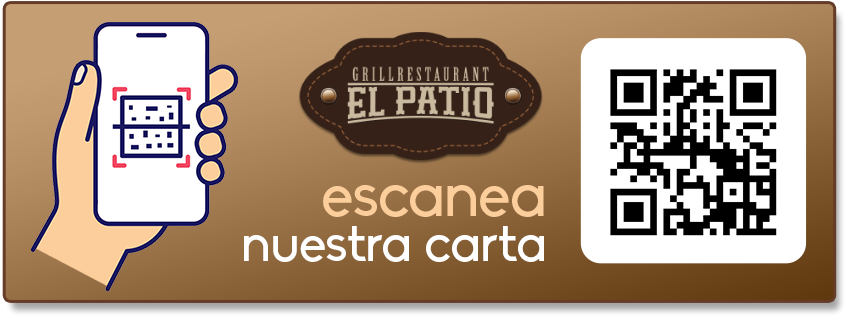
Tip: the QR never changes even if you modify the menu, so you can invest in quality cards or stickers without fear of them becoming outdated.
Tips for a printed menu that sells more
- Less is more: a short, well-organised menu reads better and reduces waste in the kitchen.
- Highlight your star dishes with the recommended marker; they appear highlighted in the PDF.
- Take care of the descriptions: two lines explaining the dish and its origin sell more than a bare name.
- Prices without the currency symbol, aligned to the right, tend to be perceived as less aggressive. Try the different BuenaCarta designs.
- Check the allergens before each print run: with BuenaCarta the ones you have ticked on each dish always come out.